Technical article · Adanora
PrestaShop shops: child theme, custom module and versioning
Two PrestaShop shops make up this project: the first, which sells a monthly box by subscription, is in service; the second, an online grocery, was not published.
- Role
- Sole author
- Period
- June and September 2025
- Status
- In service. One shop in service, a second stopped before publication
- Technologies
- PrestaShop 8, PHP, MySQL, Docker Compose
- Repositories
- Two
See the projectVisit the site (opens in a new tab)
Context
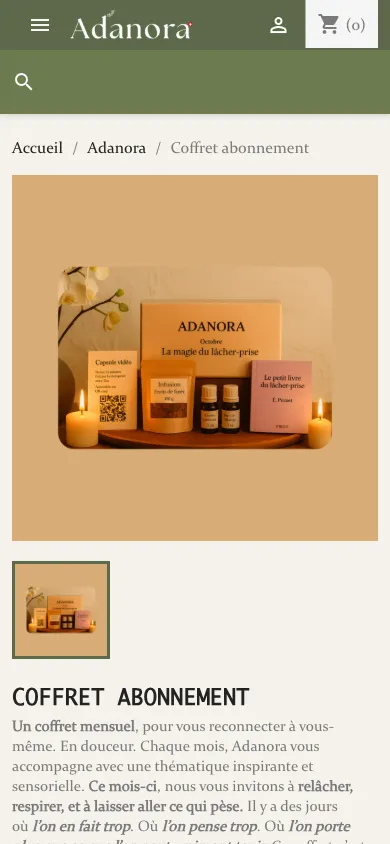
These are two modest pieces of work: a standard PrestaShop, a child theme and a small module for each. The first shop presents three subscription plans for a monthly box. The second was to offer a grocery catalogue divided into three families, and its development stopped after two days.
The shop in service is Adanora (opens in a new tab); the name of the second one does not appear in this article.

Problem
PrestaShop updates itself by replacing its files, so that any modification made to the core or to the provided theme is lost at the next update. The home page of the first shop also required a block that no standard module provides, namely three variants of one product presented as three plans. Finally, it had to be decided what gets versioned when the repository contains the entire tree of a CMS.
Answer
A child theme, no modification of the core
The child theme inherits the assets of the Classic theme and copies only the templates it modifies: the header, the footer, the product page, the product list and a few blocks of the home page. The templates of the modules are overridden from the theme’s directory, so that an update of a module does not erase them.
A module where the theme was not enough
The plans block is a module of about a hundred lines, which queries the database to obtain the three variants of the product and passes them to a template, which the theme in turn overrides to present them as three cards. The theme declares this module as a dependency, so that it is installed with it.

Knowing what to version
The first shop began by versioning the entire tree, that is more than thirty thousand files added in one commit, which then had to be removed by listing one by one the core directories to ignore. The second starts from the opposite rule: ignore everything, then bring back the themes and the module. This rule is safer, since a directory added by an update stays ignored, but getting it right still took four commits.